

I bought the Nulaxy laptop stand mostly because my neck was tired of being the one doing all the work. After 26 years leaning over patients as a dental hygienist, I now spend three days a week at a front desk and the rest of my time paying bills and writing at a small spare-bedroom desk. By mid-afternoon I'd catch myself with rounded shoulders, a forward head, and that tight spot between my shoulder blades that used to show up only after a long drive. So I ordered the Nulaxy Fully Adjustable Laptop Stand, set it up on a Tuesday, and used it every workday for a month before writing this.
Here's what nobody tells you in the product listing: the Nulaxy is a good stand, but it is not a posture fix. It raises your screen so you stop looking down, and that part genuinely helped me. It will not straighten your back, it will not make you sit better, and if you already own a stack of books that does the same job, you do not need this. That is the honest version, and it is the version I'm going to give you.
The Quick Verdict
A sturdy, adjustable stand that fixes the looking-down problem for most laptops. It won't fix your posture on its own, and it's not for everyone, but at today's price it's an easy yes for desk workers with neck strain.
Amazon Check Today's Price →Raise your screen, save your neck
The Nulaxy laptop stand lifts your screen to eye level in about ten seconds. It's the cheapest thing I've done for my neck that actually worked.
Amazon Check Today's Price on Amazon →How I Used It
My setup is not fancy. A spare-bedroom desk, a laptop, a mug of tea, and a chair that cost less than the stand. I work at the desk a few hours a day, three to five days a week, mostly writing and paying bills. The desk is roughly five feet wide and about thirty inches deep, so there is not a lot of extra room. I also bring the stand to the dining table when I want a change of scenery, and it travels to my daughter's place in Cincinnati in the back of my 2016 Honda CR-V when I'm staying over. It folds flat, so it's easy to toss in a bag. On the drive down, which takes about two hours, it sits in the back seat next to my overnight bag and does not rattle or shift.
For the first two weeks I kept the stand at its lowest height because I wasn't sure. I was still catching myself looking down at the screen, and I figured the stand could not do much if I did not give it a chance. Then, on a Wednesday morning in the middle of the third week, I raised it one notch, then another, until the top of the screen sat about level with my eyes. That was the moment my neck actually noticed the difference. The stand has seven height settings and five angle settings, and I found the combination that worked for me in about three minutes. I also tilted the screen back slightly, maybe ten degrees, so the glare from the window behind me stopped bouncing off the glass.
I should say what I did not do. I did not measure my posture, I did not take photos, and I did not do a before-and-after comparison with a second stand. I just used it the way a normal person would and paid attention to how my neck and shoulders felt at the end of the day. By the end of the first week I noticed I was not rolling my shoulders as often. By the end of the month, the tight spot between my shoulder blades was showing up later in the afternoon, and some days not at all. That is not a scientific result. It is just what happened.
What the Nulaxy Actually Does Well
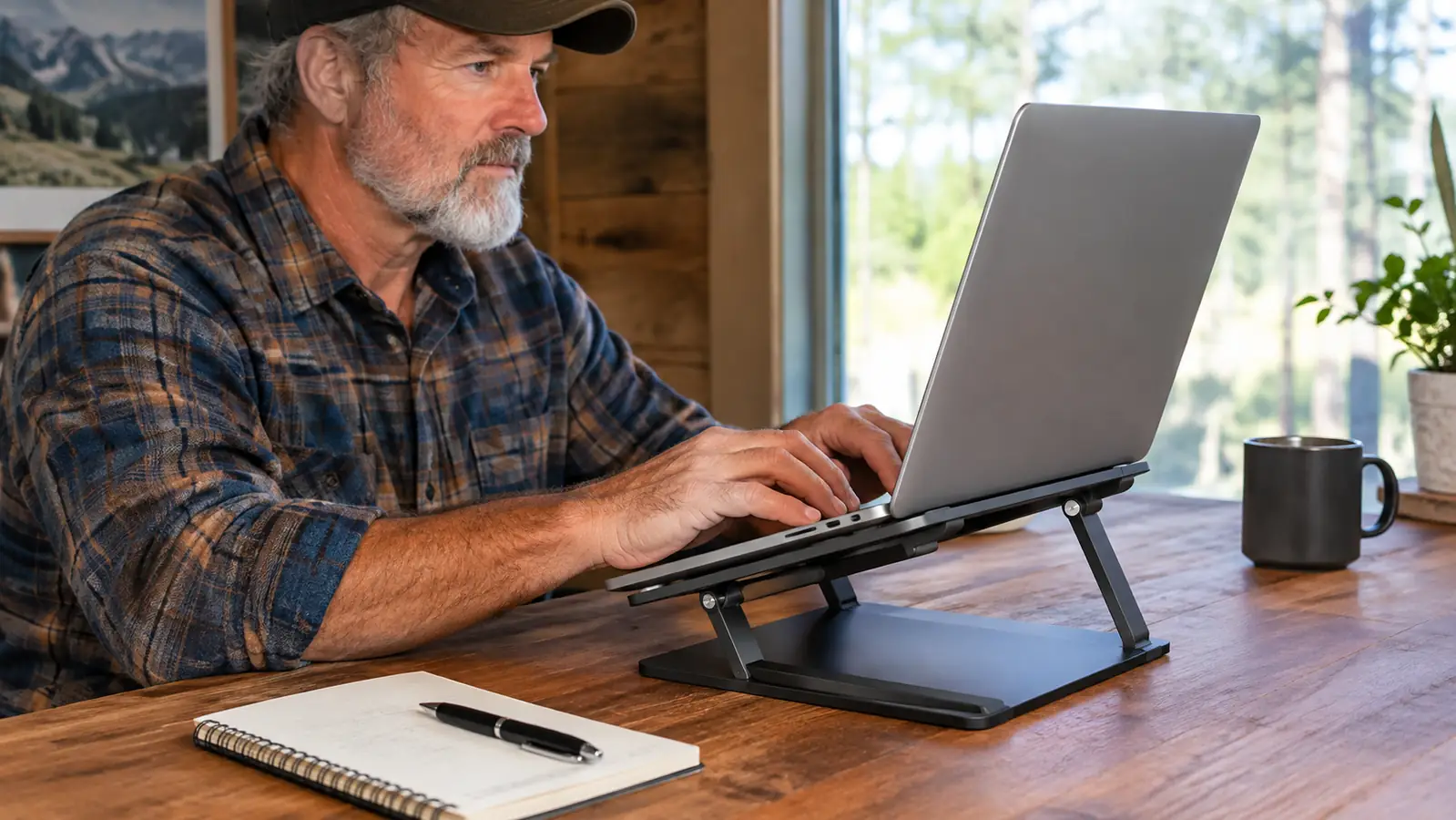
The main job of a laptop stand is to get the screen higher, and the Nulaxy does that without fuss. The aluminum body feels solid, the rubber pads on the bottom kept it from sliding on my desk, and the little lip on the front held my laptop in place even at the steepest angle. I never once worried it was going to tip. My laptop is about an inch and a half thick and weighs maybe four pounds, and it sat steady through a full day of typing. I also tried pressing down on the front edge of the keyboard with both hands, the way you do when you are frustrated with a form, and the stand did not flex.
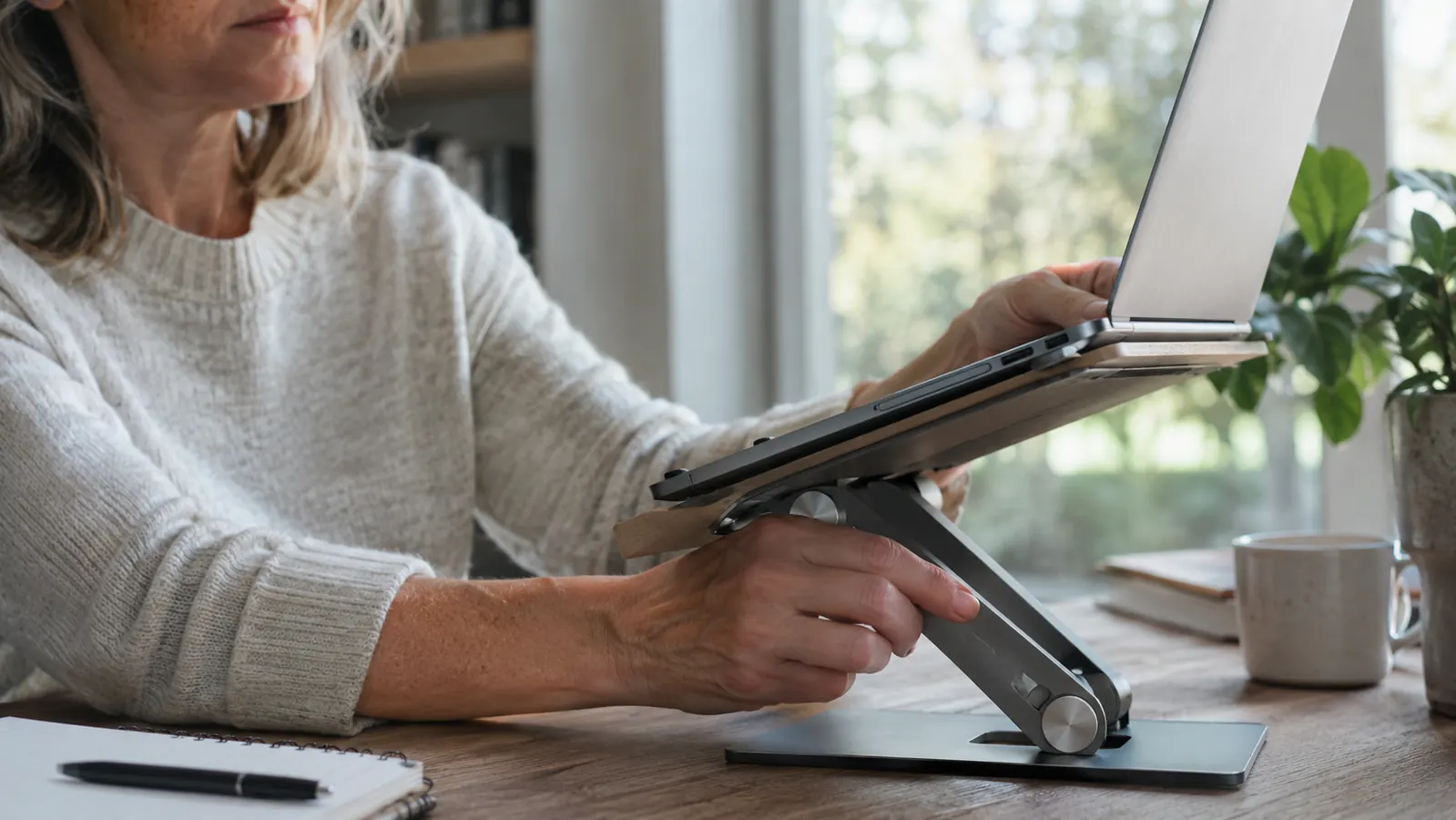
The adjustability is the real story. Seven height settings and five angle settings sounds like marketing language until you actually use it. My husband Dave, a retired mail carrier with his own lower-back complaints, tried it with his larger laptop and found a comfortable height in seconds. His laptop is heavier than mine and a couple of inches wider, and the stand held it without complaint. We're different sizes with different chairs, and the same stand worked for both of us. That's the kind of flexibility a fixed wooden stand or a stack of books can't give you. The lowest setting puts the screen maybe an inch above the desk, and the highest setting raises it a good eight inches. That range matters more than I expected.
It also folds almost flat, which I did not expect. When I cleared the desk to eat lunch, the Nulaxy went into the drawer like a folding fan. When I drove to Cincinnati to visit my daughter, it went in a tote bag without adding any real bulk. For someone with a small desk, that storage piece matters more than you'd think. I measured the folded footprint once out of curiosity, and it is about the size of a hardcover book but thinner. It takes up maybe an inch of depth in the drawer, which means I still have room for the things that used to live there.
The Nulaxy is a good stand, but it is not a posture fix. It raises your screen so you stop looking down, and that part genuinely helped me.
What Nobody Tells You
First, the stand raises your laptop screen, but it also raises your laptop's camera. If you do video calls, you will be looking at a camera that's now pointing up at your chin unless you also raise your laptop. I learned this the hard way during a call with my daughter. She told me she could see the ceiling fan and the top of my head, and not much else. The fix is simple, you put the laptop on a couple of books under the stand or you adjust your chair, but nobody mentions it in the reviews. I ended up putting a thick paperback under the back edge of the stand, which tilted the whole thing forward just enough to bring the camera back to something close to eye level.
Second, a laptop stand only helps if your keyboard is at the right height. When I raised the screen to eye level, my hands ended up too high to type comfortably. I had to add a separate keyboard and mouse, which I already owned but had not planned on using. The keyboard is a plain wireless one with a wrist rest, and the mouse is nothing special, but together they made the setup work. If you do not have a separate keyboard, raising your laptop to eye level can make your wrists unhappy. That is a real tradeoff, and it's the main reason this product is not for everyone. I would guess the stand adds about nine inches to the height of my laptop at the tallest setting, and there is no way to type on the built-in keyboard at that height without bending your wrists back.
Third, the Nulaxy does not do anything for your lower back. Dave tried it and found his screen height was better, but his back still hurt after a long stretch because he was still sitting in the same chair. A laptop stand is one piece of the puzzle, not the whole puzzle. I also learned that it does not fix a chair that is too low or a desk that is too high. If your chair does not let your feet sit flat on the floor, no stand is going to save you. I mention that because I spent a week blaming the stand for a sore hip before I realized the real problem was that I had the chair seat tilted too far forward.
Build Quality and Materials
The Nulaxy is made of aluminum, and it feels like it. The hinges are firm, the adjustment notches click into place, and after a month of daily use nothing has loosened or wobbled. I've read complaints about the stand being hard to adjust, and I can see why: the hinges are stiff when the stand is new. Mine loosened up after a few days, but if you have arthritis or weak hands, you may find the folding mechanism frustrating at first. Dave, who has had his own hand problems over the years, needed both hands to fold it the first week. By the third week he could do it one-handed, but I would not want someone with real hand pain to start with this stand.
The rubber pads are a small detail that makes a big difference. They kept the stand from sliding on my desk and kept my laptop from sliding on the stand. The ventilation cutouts also seemed to help with heat, though I should be honest that I didn't measure temperatures. My laptop ran fine on the stand for hours at a time, and it used to get noticeably warm on my desk. On a hot afternoon in late July I ran a video call for almost two hours with the laptop on the stand, and the bottom of the machine stayed cool enough to touch. I also liked that the pads did not leave marks on my desk, which is something I worried about with a metal stand. I also wiped it down a couple of times with a damp cloth, and the finish held up without smudging or scratching. That matters to me because my desk is also where I eat lunch, and crumbs and tea rings happen. The rubber pads stayed grippy even after a month of being moved around, which surprised me.
Who This Is For
The Nulaxy laptop stand is for anyone who works on a laptop for more than an hour at a stretch and has a separate keyboard, or is willing to get one. It's for people who want to stop looking down at their screen without spending a lot of money. It's for people with small desks who need something that folds away at the end of the day. It's for people who, like me, have a tight spot between their shoulder blades by mid-afternoon and want to see if a simple change helps before they go see a professional. If you are a student who writes papers at a dorm desk, or someone who does a few hours of remote work at a kitchen table, the Nulaxy will do the same thing it did for me. It gets the screen up, it stays put, and it does not ask anything else of you.
Who Should Skip It
Skip the Nulaxy if you only use your laptop for a few minutes at a time, or if you mostly use it on the couch or in bed. A stand does nothing for you in a recliner, and I say that as someone who slouches in her recliner at night and knows better. Skip it if you refuse to use a separate keyboard, because raising your screen without raising your keyboard is just trading neck pain for wrist pain. And if you already have a stack of books that puts your screen at eye level, keep the books. They work fine and they cost nothing. I would also tell someone with a big desktop setup to skip it, because a monitor arm or a taller desk is a better answer once you are not tied to a laptop screen.
Alternatives I Considered
I looked at a few other stands before settling on the Nulaxy. The Lamicall stand is the one people compare it to most often, and it's a fine stand with a similar design. I read through the reviews for both one evening, and the main difference people mentioned was that the Lamicall has a slightly wider base and a different locking mechanism. I chose the Nulaxy because the adjustment range suited my desk better and the price was right on the day I ordered. I also considered a simple fixed wooden stand, which is cheaper and looks nice, but it doesn't fold flat and doesn't adjust. My desk is only about five feet wide, so a fixed stand would have taken up permanent space and still left me guessing at the height. For my small desk and my changing needs, the Nulaxy made more sense.
I also thought about a monitor arm, which is what a lot of people end up with eventually. But a monitor arm requires a monitor, and I'm still using a laptop. A decent monitor arm also needs a desk edge it can clamp to, and mine has a thick lip that would make that awkward. The Nulaxy is the cheaper, simpler middle step, and for now it's the right one for me. If I ever switch to a monitor, I will probably move to an arm then, but I am not there yet.
What I Liked
- Raises screen to eye level with seven height settings
- Five angle settings for different desks and chairs
- Folds almost flat for storage and travel
- Solid aluminum build with rubber pads that prevent sliding
- Worked for both me and Dave with different laptops and chairs
Where It Falls Short
- Needs a separate keyboard to type comfortably at eye level
- Hinges are stiff when new and may frustrate people with weak hands
- Does nothing for lower-back pain or overall posture
- Camera angle changes when screen is raised
The stand that finally helped my neck
After a month of daily use, the Nulaxy is the first laptop stand that actually stayed on my desk instead of getting shoved in a drawer. See what it costs today.
Amazon Check Today's Price on Amazon →